Zopia × SVAiFF
2026 Los Angeles–Silicon Valley AI Film Festival
Create with AI. Be seen by the world.
Submission deadline ·
200 Zopia Universal Credits + 800 Vidu Credits
Credit eligibility and redemption follow the campaign terms.
View eventZopia × SVAiFF
Create with AI. Be seen by the world.
Submission deadline ·
200 Zopia Universal Credits + 800 Vidu Credits
Credit eligibility and redemption follow the campaign terms.
View event
Zopia × YFCon
Zopia at YFCon 2026: connecting with creators and industry partners through AI creation.
Zopia exhibitor · Ended · 2026.10.08–10.09
Anaheim Convention Center · Hall A
Booth B14

Zopia × AIGC ASIA
Celebrate Eastern culture with AI and share new cultural visions with the world.
Gold awards in two tracks, ¥20,000 each
Register and receive 1,000 credits
Sep 1–Oct 11
More creative possibilities, more rewards
Create without limits · Earn without limits
Platform challenges
Create with AI. Share your boundless imagination.
Great ideas deserve to be seen
CREATORS
MAKE A BRIGHTER WORLD
Platform challenges
Invite friends to top up and earn cashback rewards.
Create together, grow together
TOGETHER
WE CREATE MORE
Creator partnerships
Invite friends or apply as an affiliate and earn rewards.
Connect with creators. Grow together.
CREATE TOGETHER
GROW TOGETHER
Translate a script into visual beats, assign each beat a shot and build storyboard panels that communicate framing, action and continuity.
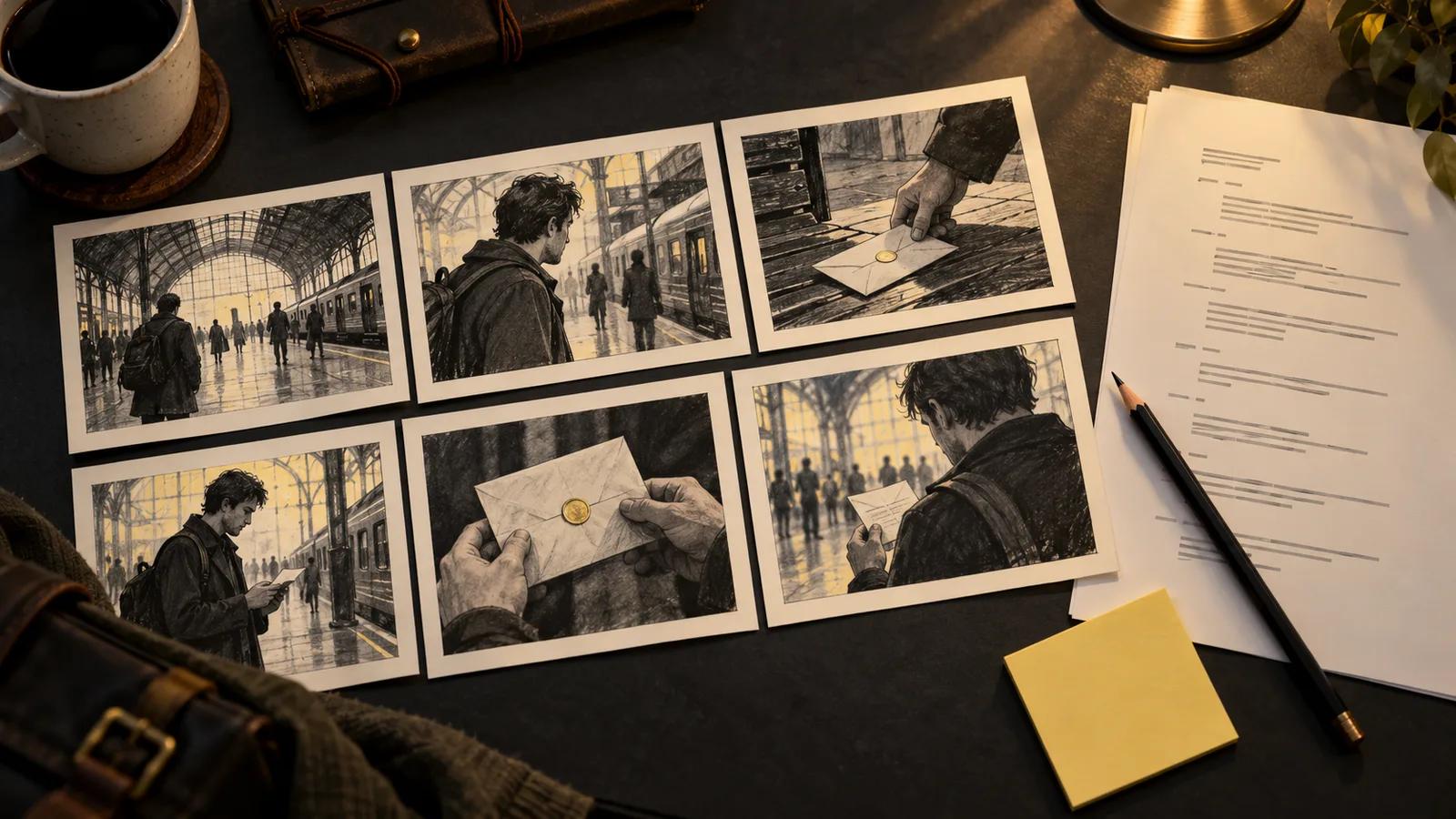
To turn a script into an AI storyboard, identify what the audience must see, divide those moments into shots and describe a clear composition for each panel. Generate or sketch the panels, place them in story order and revise the sequence before animating it. A storyboard should explain the scene, not merely illustrate sentences from the script.
The example here comes from an original story, The Last Repair. Mira opens a watch, discovers an old photograph and turns toward a visitor at the door. The scene gives us a clue, a reaction and an interruption to translate into images.
A shot list records what to make. A storyboard adds a visual proposal for how those shots connect. Include a panel, shot identifier, framing, action, dialogue or sound note, and any intended camera move.
You do not need a finished image for every early decision. A rectangle showing a person on the right and a doorway on the left may settle screen direction more effectively than an elaborate illustration. Adobe's storyboarding guide describes storyboards as a way to plan a visual sequence. Use image generation where it helps communicate a decision that remains unresolved.
Start with this short scene:
Mira lifts a paper fragment from the opened watch. She unfolds it and recognizes a childhood photograph. A door latch clicks. Mira looks up, keeping the photograph in her hand.
The visible beats are the discovery, the recognition and the interruption. “Recognizes” is an internal event, so decide how to show it: her gaze stops moving, her expression changes, then she looks toward the door.
Do not mechanically create one panel per sentence. One sentence may contain several actions; several lines of dialogue may stay within a single composition.
| Shot | Framing | Action | Audio | Connection |
|---|---|---|---|---|
| 01 | Medium | Mira works beneath the lamp | Room tone | Establish workbench and door |
| 02 | Insert | Photograph lies beside the open watch | Paper movement | Show the clue clearly |
| 03 | Close-up | Mira recognizes the photograph | Brief pause | Match her downward eyeline |
| 04 | Medium | Mira turns toward the door | Latch click | Keep photo in the same hand |
Write the connection column deliberately. It is where you solve problems that a single attractive frame can hide: inconsistent eyelines, changing hand positions or a door that jumps across the room.
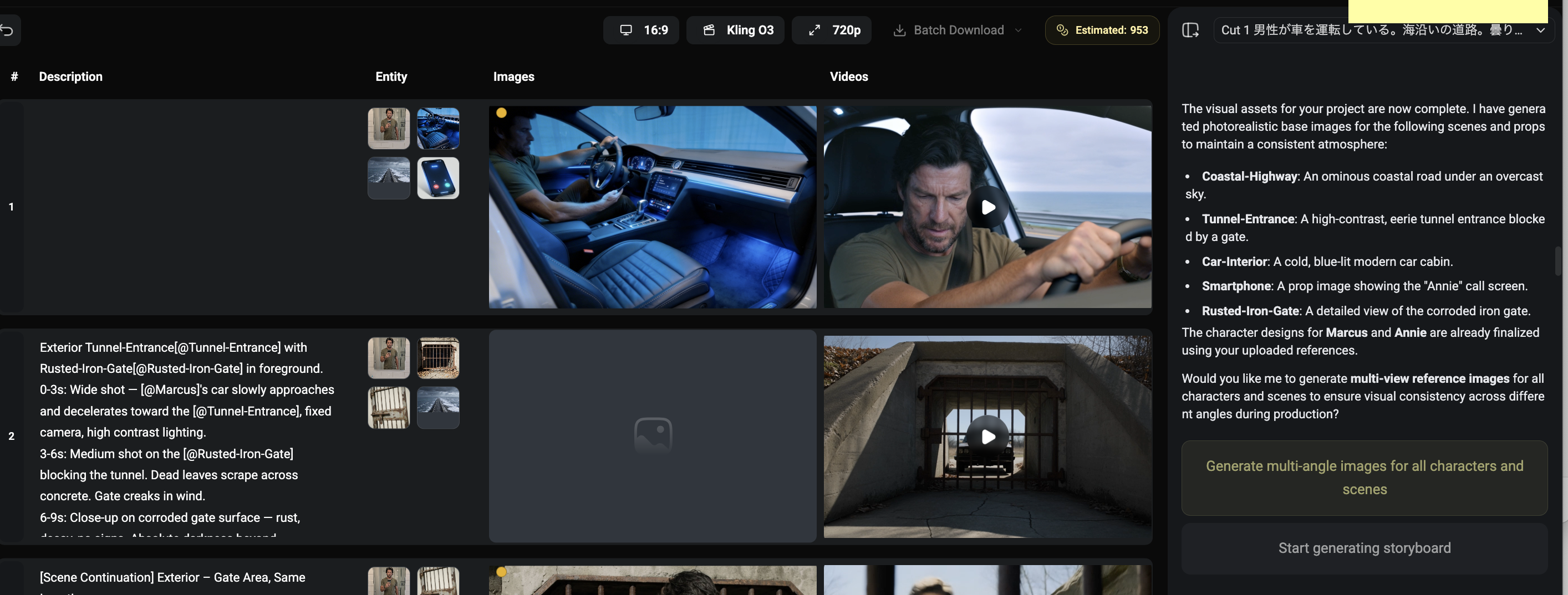
Prepare a character reference and a simple location layout. Select the same frame shape for the sequence. Fix the apron, workbench and doorway positions unless a planned camera angle explains the change.
Runway's image reference documentation shows one approach to carrying subjects and settings into subsequent images. The exact reference controls are model-specific. In your own workflow, attach references using the selected tool's supported method and describe only the changes needed for this panel.
Original example for the opening panel:
Storyboard panel in a restrained naturalistic style, horizontal composition.
Mira, the fictional watchmaker from the supplied character reference, stands
on the right side of a wooden workbench, wearing a navy apron. A warm desk
lamp lights an open pocket watch. The shop doorway occupies the left
background. Medium framing at eye level. Mira looks down toward the watch.
For the insert, change the camera framing and relevant objects instead of rewriting the whole world:
Close insert of the open pocket watch and a small faded photograph lying
beside it on the same wooden workbench. Warm light falls from the upper
right. The photograph is the visual center of the composition.
Describe important lettering separately for later compositing if the narrative depends on exact text. Runway's image prompting guide provides a framework for subject, scene and composition that can help organize the visual description.
Put the panels beside one another and ask what a viewer could infer without reading the script. Can they locate the door? Do they understand what Mira is looking at? Does the photograph remain where the previous panel left it?
If the answer requires an explanation, revise the visual plan. Add a needed insert, change a gaze direction or remove a redundant panel. You can also create a simple animatic by placing stills on a timeline with provisional durations and sound. Timing a pause often reveals whether a reaction is readable.
A storyboard frame describes a moment; a video prompt describes what changes during the shot. Keep those jobs distinct. For panel 04, the image establishes the room and pose, while the motion note can say:
The watchmaker raises her gaze toward the doorway and turns her shoulders
slightly to the left. Her hand remains beside the photograph. Locked camera.
Google's Veo prompt guide is a model-specific resource for describing such actions and camera behavior. Follow your selected model's guidance when turning the panel into video.
“Mira hears the door” does not tell us where the door is or what lies between it and the workbench. Draw a simple overhead layout: bench on the right, doorway toward the left background, visitor outside. Each panel should make sense within that space.
Begin with the objects that affect the action. The workbench height, lamp direction and doorway position matter now. Decorative wall art can wait. This prevents detailed frames from concealing a basic layout disagreement.
The camera may change sides for a reason, but make that transition readable. A neutral frontal angle or a new establishing view can reorient the audience before a reverse angle.
“Mira is afraid the visitor will see the photograph” offers several visual choices. She could cover it, turn it over or hide it in her apron. Each implies a different degree of concealment. Choose the behavior that fits her motivation, then design its shot.
Likewise, a suspicious visitor need not wear an exaggerated expression. A glance toward the photograph in Mira's hand may carry the idea. Write what the audience can observe rather than relying on labels such as “mysterious” to explain a panel.
| Question | Useful input | Decision to settle |
|---|---|---|
| Is Mira in the right place? | Layout sketch and character reference | Position and frame balance |
| Can the clue be read? | Watch and photograph references | Scale, light and obstruction |
| Does the reaction communicate? | Selected character close-up | Gaze and expression |
| Will the next shot connect? | Adjacent panels | Direction, hand and prop state |
If you are deciding whether the door belongs on the left or right, a line drawing may be sufficient. Generate a more complete frame when you need to judge lighting or facial readability. Resolve the most consequential uncertainty before polishing every panel.
Place the panels on a timeline with provisional sound. Let the clue remain long enough to be noticed, then give the reaction room to connect it to Mira. A latch sound can begin before the doorway appears, directing attention toward the next shot.
Show the sequence to a collaborator before explaining the premise. Ask what Mira found and what she wants to do next. If the answer differs from your intention, identify whether information is absent or simply presented in a confusing order. Add a panel for the former; try reordering for the latter.
Too many actions in a panel: choose the decisive moment and add a second panel for a meaningful change.
Every panel is a close-up: add enough spatial information to make the scene understandable, then reserve close-ups for important details.
The location shifts between panels: return to the layout reference and keep the visible background simple.
The panels look polished but the story is unclear: write each panel's story purpose in one sentence. Remove images that do not advance it.
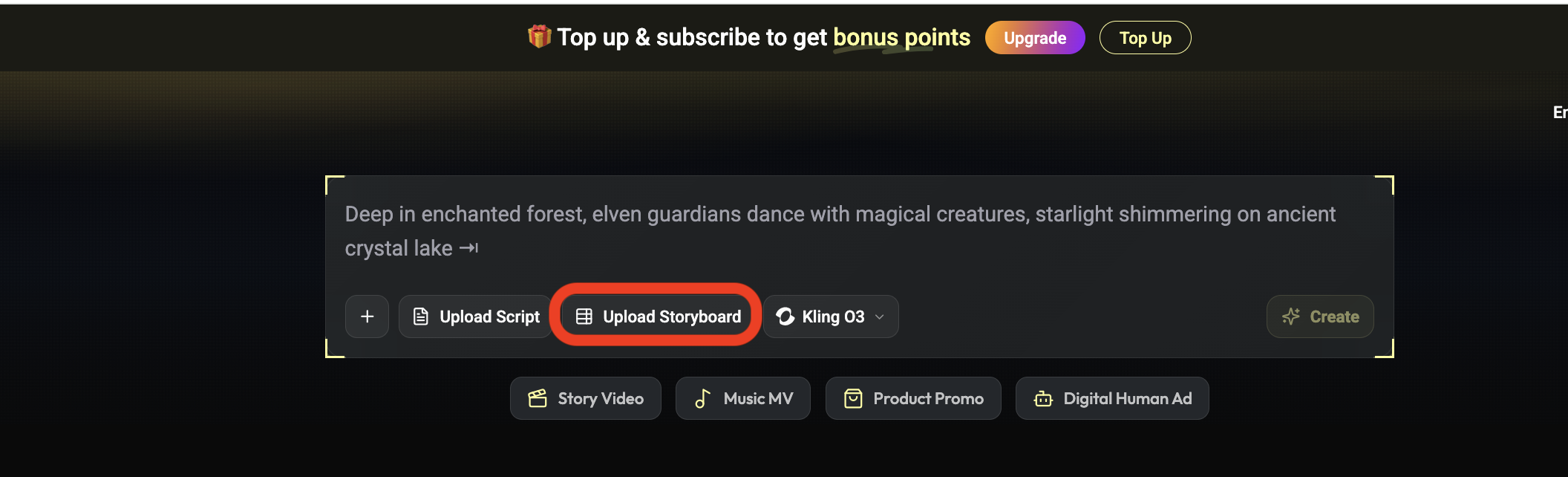
The Zopia workspace can organize characters, scenes, storyboards and timelines alongside AI generation. Begin with a small scene and a readable shot plan. Expand the sequence once the visual decisions are clear.
A shot list names the shots. A storyboard visualizes placement, framing, eyelines and connections between them.
Use simple panels to settle framing and order first. Refine characters, lighting and style after the scene structure works.
Play the panels in order and check the character’s goal, actions and outcome. Add a panel where essential information is missing.
The Adobe storyboarding overview supports visual sequence planning; the Runway reference and image guides explain input roles; Google's video prompt documentation covers motion description. Follow the model-specific instructions when preparing your final inputs.
Start creating professional AI videos with Zopia
Get Started Free