Zopia × SVAiFF
2026 Los Angeles–Silicon Valley AI Film Festival
Create with AI. Be seen by the world.
Submission deadline ·
200 Zopia Universal Credits + 800 Vidu Credits
Credit eligibility and redemption follow the campaign terms.
View eventZopia × SVAiFF
Create with AI. Be seen by the world.
Submission deadline ·
200 Zopia Universal Credits + 800 Vidu Credits
Credit eligibility and redemption follow the campaign terms.
View event
Zopia × YFCon
Zopia at YFCon 2026: connecting with creators and industry partners through AI creation.
Zopia exhibitor · Ended · 2026.10.08–10.09
Anaheim Convention Center · Hall A
Booth B14
Zopia × AIGC ASIA
Celebrate Eastern culture with AI and share new cultural visions with the world.
Gold awards in two tracks, ¥20,000 each
Register and receive 1,000 credits
Sep 1–Oct 11
More creative possibilities, more rewards
Create without limits · Earn without limits
Platform challenges
Create with AI. Share your boundless imagination.
Great ideas deserve to be seen
CREATORS
MAKE A BRIGHTER WORLD
Platform challenges
Invite friends to top up and earn cashback rewards.
Create together, grow together
TOGETHER
WE CREATE MORE
Creator partnerships
Invite friends or apply as an affiliate and earn rewards.
Connect with creators. Grow together.
CREATE TOGETHER
GROW TOGETHER
Plan a short drama around reusable characters, clear story beats and individual shots, then assemble an episode that can continue into a series.
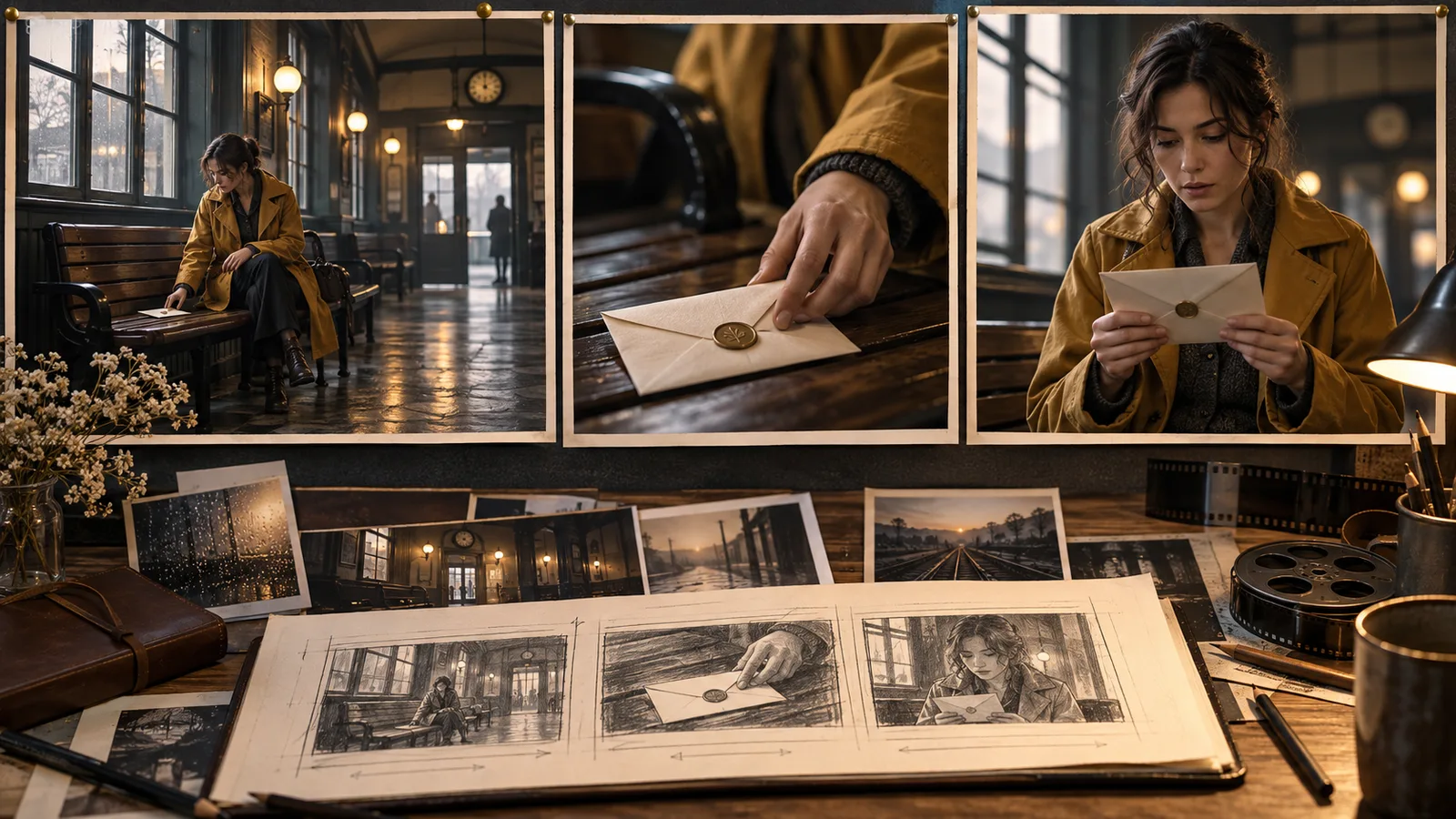
An AI short drama production workflow starts with a repeatable story world, turns each episode into visual beats, and generates individual shots before editing them together. Decide what remains constant across episodes—characters, locations and important objects—before making the opening scene. That preparation gives later episodes something reliable to build on.
Follow an original story example, The Last Repair: a watchmaker named Mira receives a stopped watch containing a photograph she recognizes. The first episode establishes the secret; subsequent episodes explore who left it and why.
Write a short episode brief with a protagonist, an immediate goal, an obstacle and an ending question. For Mira, the goal is to repair the watch before its owner returns; the obstacle is a missing component; the ending question is why her childhood photograph is inside it.
Keep that final revelation specific. A prompt such as “make a mysterious short drama” leaves story decisions unresolved. A brief that says “Mira recognizes the photograph and hides it when the door opens” gives you visible actions to plan.
Choose the intended viewing format now. A vertical episode and a horizontal short can need different compositions, especially for faces, hands and subtitles. Treat running time as an editorial target, rather than a promise that a generator will create the whole episode in one pass.
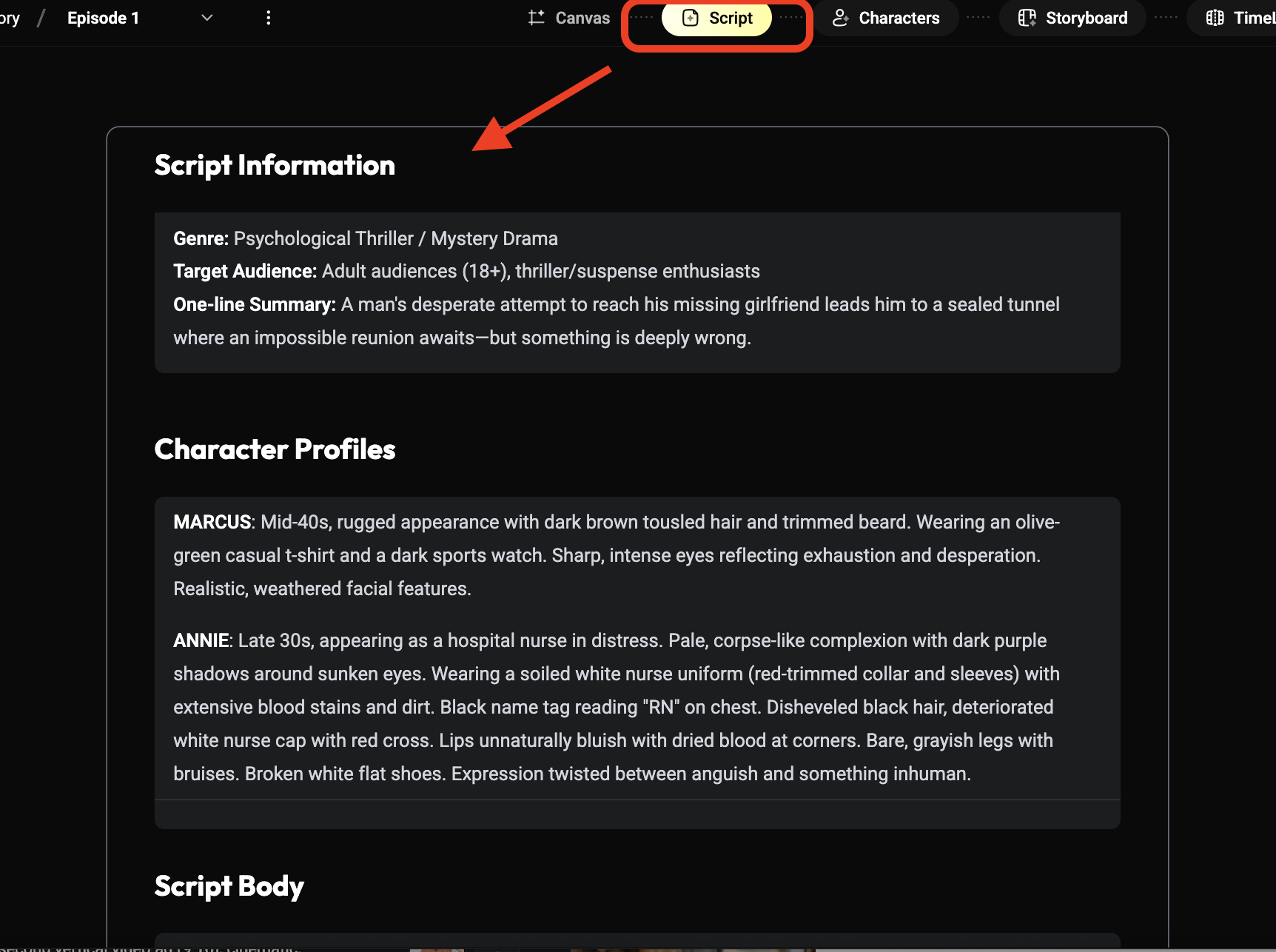
Prepare a clear reference of Mira, a wardrobe description, the watch and the repair shop. Use images you own or have permission to use. Give files descriptive names so an editor can distinguish the intended character from an attractive but inconsistent variation.
The reference pack should separate fixed traits from scene changes. Mira's face and short dark hair stay fixed; her expression and pose change. Her navy work apron stays fixed during this scene; another episode may deliberately introduce a new costume.
Runway's reference documentation describes using image inputs to carry visual characteristics into new images. Prepare your pack, then attach references using the method supported by your selected model.
Use a shot table before writing generation prompts. Each row needs a story purpose, visible action, framing, audio intention and continuity dependency.
| Shot | Story purpose | Visible action | Continuity dependency |
|---|---|---|---|
| A | Establish the task | Mira places the watch beneath a desk lamp | Apron and workbench |
| B | Introduce the clue | The opened watch reveals folded paper | Same watch design |
| C | Make the discovery readable | Mira studies the photograph | Gaze toward the workbench |
| D | Create the episode ending | She closes her hand around the photo as the door opens | Photo location and hand position |
The table also reveals where a complex action should be split. Opening a watch, removing paper, unfolding it and reacting are separate editorial moments. They need not be forced into one generation.
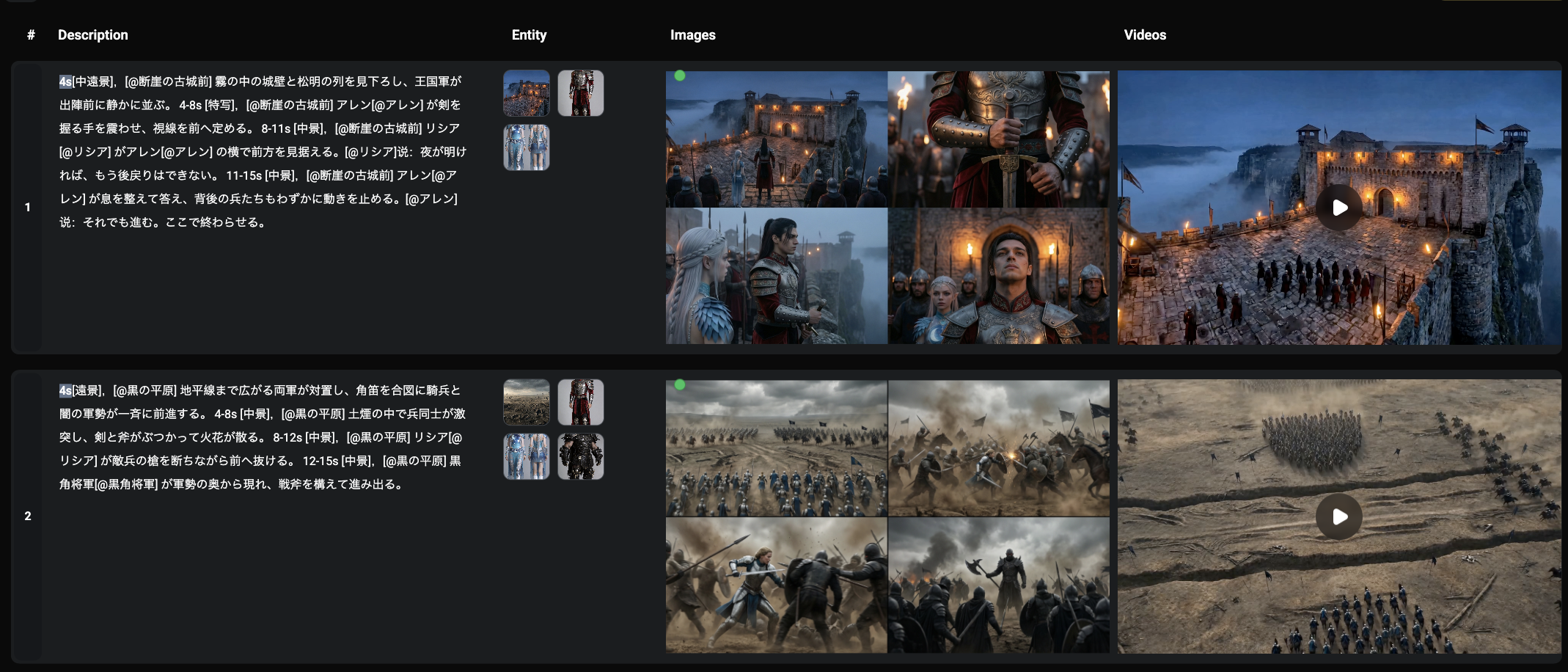
For image-to-video, establish the composition in the input frame and describe the action that follows. Runway's video prompting guide recommends focused motion descriptions and incremental iteration for the model covered by that guide. Start there as a working hypothesis, then follow the instructions for your selected model.
Original prompt for the reaction shot:
The watchmaker lowers her eyes toward the photograph on the workbench.
Her expression shifts from concentration to recognition.
The camera slowly moves closer, ending on a medium close-up.
The warm desk lamp remains steady.
If this combines too many changes, begin with the eye movement and a locked camera. Add the expression, then try the camera move. Record the accepted prompt beside the shot so later changes have a clear starting point.
Place rough versions of the shots on an editing timeline. Add temporary dialogue or narration and simple room tone. Watch the sequence to see whether a viewer can identify the clue and understand Mira's reaction.
Do not decide shot quality only in isolation. A beautiful close-up may be too brief to communicate the discovery. A plain insert may be essential because it explains what the character sees. Where text on the photograph matters, consider adding readable lettering in the edit instead of depending on incidental generated text.
Zopia organizes characters, scenes, storyboards and timelines alongside AI generation. You can use the Zopia workspace to organize this project; the exact generation settings depend on the model available to you. Keep dialogue editing, music permissions and final export requirements in the production plan as well.
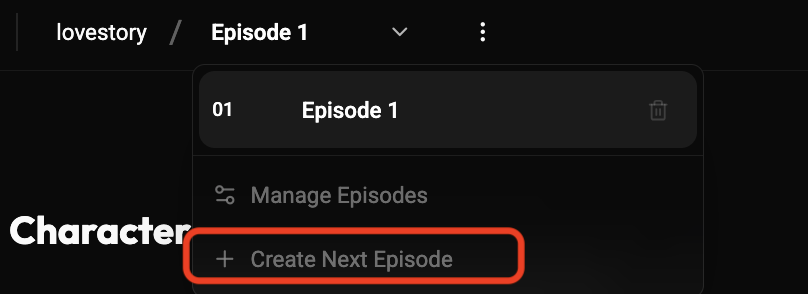
At the end of this episode, record the story state: Mira has the photograph, the watch remains unrepaired and the owner is at the door. Preserve selected references and shot notes for these facts.
For episode two, reuse the world rather than copying the entire previous prompt. Write the new action, identify which references still apply and note any intentional change. This is the main difference between a series workflow and a one-off visual experiment.
 Watch full video ↗
Before generating, write an episode card with four answers: what Mira wants today, what interrupts her, what the audience learns and what remains unresolved. If every answer describes backstory, turn one into an action. “Her father disappeared years ago” is context. “She finds his handwriting on the photograph” gives you a visible clue to stage.
You could open with the stopped watch sounding once, then return to Mira beginning the repair. That creates a question before the explanation. Check that the episode eventually addresses the sound; otherwise, choose an opening connected more directly to the photograph. An intriguing moment needs a role in the story that follows.
Use the same discipline in later episodes. Each should change the audience's understanding, rather than repeating the previous cliffhanger with more dialogue.
| Input | Decision | Useful output |
|---|---|---|
| Episode script | What must be visible? | Beats and shot list |
| Character and shop references | What stays fixed? | Selected scene compositions |
| Starting frame and action | How should the moment unfold? | Candidate shot clips |
| Clips and temporary audio | Is the cause and response readable? | A complete rough episode |
Settle the references used by many shots first. If the apron or shop layout is still changing, avoid polishing a dozen reactions built on that uncertain foundation. A watch insert can progress separately, provided it uses the same prop design.
For the confrontation in episode two, adapt the action rather than pasting the entire discovery prompt:
The watchmaker places the photograph flat on the counter and slides it
toward the visitor. She keeps her gaze on the visitor's face.
The camera remains locked in a medium two-shot.
The visible behavior carries the tension. If hand-to-paper contact becomes distracting, begin with the photograph already on the counter and cut to Mira's gaze. Make the prompt agree with the starting frame: placing an object requires it to be held or otherwise available at the beginning.
Continuity includes who has seen the photograph, what each person knows and whether the watch is open. A character revealing information they have not learned can confuse the audience more than a minor costume variation.
Keep an ending-state note beside the episode: photograph in Mira's right hand, watch open, visitor at the door, visitor unaware that she recognized the image. Episode two can continue directly from that state or establish a deliberate transition.
Mira changes appearance between shots. Return to the same approved reference and simplify changes in pose, costume and lighting. Compare identity before animating the still.
The watch changes shape. Create a separate prop reference or use a tighter insert with fewer competing details. An edit can connect the insert to the wider scene.
The ending feels confusing. Show the photograph before the reaction, then leave enough screen time for the audience to connect them. Rewrite the shot order before regenerating everything.
The episode feels slow. Remove repeated information. Each shot should establish a fact, change a relationship or raise a new question.
Outline the season’s central goal and conflict, then finish a pilot. Reuse established characters, locations and story states in later episodes.
Track character knowledge, relationship changes, prop locations, wardrobe and setting changes. Begin the next episode from those states.
Start with three to five shots for a scene, then add shots only where action, reactions or spatial information remain unclear.
Adobe's storyboarding guide explains how panels help organize a visual sequence. Google's Veo prompting guide provides vocabulary for subjects, actions and camera behavior. Consult the documentation for your selected model as you adapt the production plan.
Start creating professional AI videos with Zopia
Get Started Free