Zopia × SVAiFF
2026 Los Angeles–Silicon Valley AI Film Festival
Create with AI. Be seen by the world.
Submission deadline ·
200 Zopia Universal Credits + 800 Vidu Credits
Credit eligibility and redemption follow the campaign terms.
View eventZopia × SVAiFF
Create with AI. Be seen by the world.
Submission deadline ·
200 Zopia Universal Credits + 800 Vidu Credits
Credit eligibility and redemption follow the campaign terms.
View event
Zopia × YFCon
Zopia at YFCon 2026: connecting with creators and industry partners through AI creation.
Zopia exhibitor · Ended · 2026.10.08–10.09
Anaheim Convention Center · Hall A
Booth B14

Zopia × AIGC ASIA
Celebrate Eastern culture with AI and share new cultural visions with the world.
Gold awards in two tracks, ¥20,000 each
Register and receive 1,000 credits
Sep 1–Oct 11
More creative possibilities, more rewards
Create without limits · Earn without limits
Platform challenges
Create with AI. Share your boundless imagination.
Great ideas deserve to be seen
CREATORS
MAKE A BRIGHTER WORLD
Platform challenges
Invite friends to top up and earn cashback rewards.
Create together, grow together
TOGETHER
WE CREATE MORE
Creator partnerships
Invite friends or apply as an affiliate and earn rewards.
Connect with creators. Grow together.
CREATE TOGETHER
GROW TOGETHER
Explore Kling 4.0 Peek Preview on Zopia and discover longer video generation, richer references, keyframe control, native audio, and practical AI video workflows.
AI video generation is moving from creating one attractive clip toward controlling a complete piece of content. Kling 4.0 Peek Preview brings a more controllable Kling AI video generator workflow for longer videos, references, keyframes, motion, and native audio.
A video that can serve an advertisement, short drama, or brand story needs more than a good-looking frame. Actions should connect, characters and products should stay consistent, the camera should follow the intended progression, scenes should transition naturally, and audio should support the same creative goal.
Kling 4.0 Peek Preview is designed around these production needs. Through Zopia, creators can explore selected Kling 4.0 capabilities, including longer generation, richer references, more precise keyframe control, and a more complete audio-visual workflow.
Explore Kling 4.0 Peek Preview on Zopia
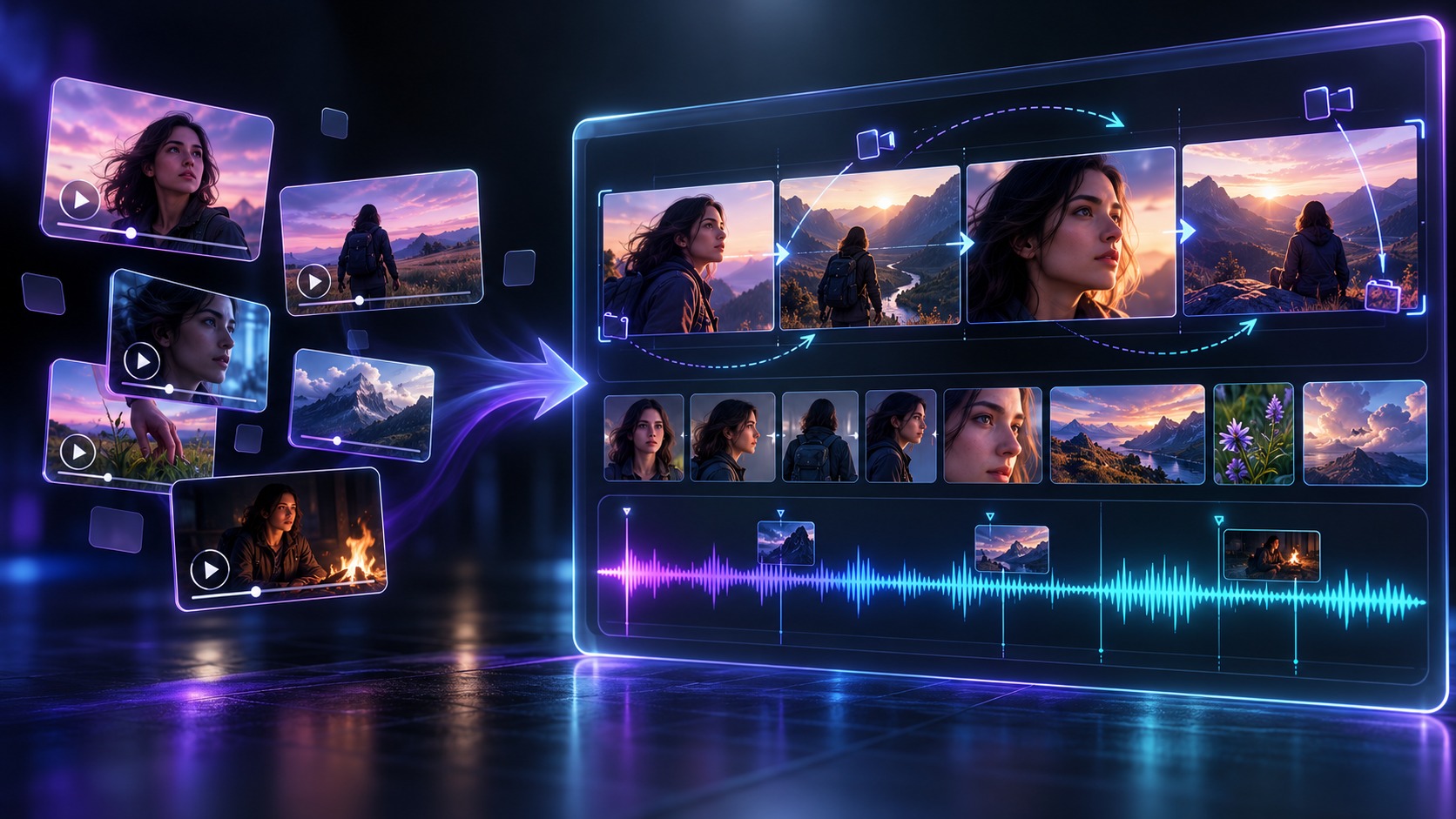
From isolated clips to a connected story workflow.
Based on Kling’s official comparison materials, the upgrade centers on duration, timeline control, references, and motion.
Capability | Kling 3.0 series | Kling 4.0 |
|---|---|---|
Generation length | 3–15 seconds | 3–30 seconds |
Multiple keyframes | Not supported | Up to 10 keyframes |
Total references | About 7 assets | Up to 15 assets |
Reference video | More limited support | Up to 5 videos, up to 30 seconds total |
Audio output | Mono | Two-channel stereo |
Motion | Multi-shot and complex actions | More emphasis on fast motion, camera movement, and continuous action |
Video editing | Partial workflows | More deeply integrated into multimodal creation |
Text input | Shorter prompts | Up to 8,000 tokens |
The practical meaning is more context in one task: an image can define a product, a video can define motion, keyframes can define story turns, and the prompt can explain how everything changes over time.
AI video projects often require a concept to be split into several short clips. Longer native generation makes it possible to place more visual beats in one sequence.
Time | Visual goal |
|---|---|
0–6s | Establish the environment and subject |
6–12s | Bring the product into the frame |
12–20s | Show the product in use |
20–26s | Move toward the key product detail |
26–30s | End on a clean product hero shot |
The goal is not to use the maximum number of keyframes. Mark the visual changes that actually matter.
Keyframes can define the opening image, the moment a character enters, when a product appears, when the camera changes direction, when the scene transitions, and where the final frame should settle.
A five-keyframe e-commerce video might show the product on a table, a person picking it up, the product being opened or used, a close-up of its details, and a final centOfficial references and a practical review checklist
This preview article is based on the public Kling 4.0 comparison and guide materials below. Use them when you need to verify a capability, check a workflow, or prepare a production brief.
Write the business or story goal in one sentence.
Choose the assets that define identity: product, character, location, motion, or sound.
Assign a clear role to every reference with @Image1, @Image2, or @Video1.
Map the major changes to time ranges or keyframes.
Describe the camera, subject motion, continuity rules, audio, and final frame.
Check product shape, label, color, and proportions.
Check hands, faces, clothing, and object interactions.
Check whether camera movement matches the intended shot.
Check dialogue clarity, timing, ambience, and stereo placement.
Only then add more references, more keyframes, or more complex action.
The official Kling 4.0 visual is presented as a reference from Kling’s public product materials. The workflow and scenario illustrations are editorial visuals created for this guide. They explain the production logic around keyframes, references, and prompts; they do not represent a guaranteed model output.
When you prepare a commercial deliverable, keep the approved brand assets and the model-generated result in separate review steps. Confirm that packaging, logos, people, music, dialogue, and third-party locations are cleared for the intended use.
The fastest way to learn the preview is to begin with one 12–20 second shot, three to five references, and three to five meaningful keyframes. Record the prompt, the reference roles, and the changes between iterations. This makes it easier to understand whether an improvement came from the model, the reference set, the timeline, or the prompt structure.
Open Kling 4.0 Peek Preview on Zopia and test one clearly defined shot before expanding it into a complete campaign or story sequence.ered product frame.

Official Kling 4.0 visual reference.
Create a 20-second product video based on the supplied keyframes. 0–4s: establish a bright kitchen and keep the product centered on the counter. 4–9s: a woman enters and picks up the product naturally. 9–14s: she uses it while the camera moves from a medium shot to a close-up. 14–18s: highlight the texture, shape, and branded details. 18–20s: return to a clean centered hero shot in soft morning light. Keep the product shape, color, label, and proportions consistent. Use smooth camera movement and realistic hand interaction.Omni Reference is more useful when references are assigned specific roles:
A product image defines shape, color, and packaging.
A character image defines appearance.
An action video defines movement.
A location image defines space.
A storyboard defines shot order.
An audio reference defines voice characteristics.
@Image1 defines the product. Preserve its shape, color, material, label, and logo. @Image2 defines the main character. Preserve her facial features, hairstyle, and clothing. @Image3 defines the kitchen layout. Preserve the counter, window, and warm morning light. @Video1 provides hand movement and camera pacing. The character picks up the product, examines it, and places it near the camera. Keep the product and character consistent. Do not copy unrelated objects or background details.Fast running, collisions, sports, dance, vehicles, large camera moves, and several moving characters are among the hardest scenes for generative video.
A cinematic tracking shot follows a cyclist racing through a narrow city street after rain. The cyclist accelerates from background to foreground while water splashes from the wheels. The camera moves alongside at matching speed, then smoothly orbits to reveal the rider’s face. Pedestrians react naturally and remain spatially consistent. Keep the clothing, helmet, bicycle frame, and body proportions consistent. Use realistic momentum, controlled motion blur, and dramatic evening light.A useful motion prompt states what the subject does, how the camera moves, what must remain consistent, the order of actions, and the final frame.
Kling 4.0 also expands the audio and language layer. For advertising, drama, and cross-border content, sound is part of the narrative rather than a background afterthought.
Audio: Use natural stereo sound. Include soft city ambience, bicycle movement, wet road splashes, and light traffic noise. Add a calm female voiceover in English: “Move faster. Create with confidence.” Keep the voice clear and synchronized with the final product shot.Create a 30-second premium advertisement for a modern skincare bottle. @Image1 defines the product: preserve the bottle shape, label, color, and material. @Image2 defines the bathroom: preserve the marble counter and soft daylight. 0–6s: close-up of water droplets. 6–12s: pull back to reveal the bathroom. 12–20s: a woman picks up and uses the product naturally. 20–26s: move into a macro shot of the label and texture. 26–30s: finish on a centered product hero shot with clean negative space. Use elegant camera movement, realistic hands, soft reflections, premium commercial lighting, and subtle stereo water and room sounds.Create a 25-second cinematic scene in a quiet train station at night. @Image1 defines the protagonist. @Image2 defines the station. @Image3 defines the red umbrella that must remain consistent. 0–7s: the protagonist waits alone. 7–14s: a train passes and she notices someone across the platform. 14–21s: the camera pushes in as she walks toward the red umbrella. 21–25s: end on her expression. Maintain identity, clothing, umbrella color, and spatial continuity. Use restrained night lighting, camera movement, and station ambience.Create a 20-second cinematic game trailer for a futuristic desert city. @Image1 defines the main character. @Image2 defines the vehicle. @Image3 defines the city architecture. 0–5s: reveal the city from above. 5–10s: the vehicle accelerates through the streets. 10–15s: the character jumps onto a high platform. 15–20s: the camera orbits as the city lights activate behind them. Preserve the armor, vehicle design, and architecture. Use dynamic movement, realistic momentum, atmospheric dust, and dramatic stereo sound.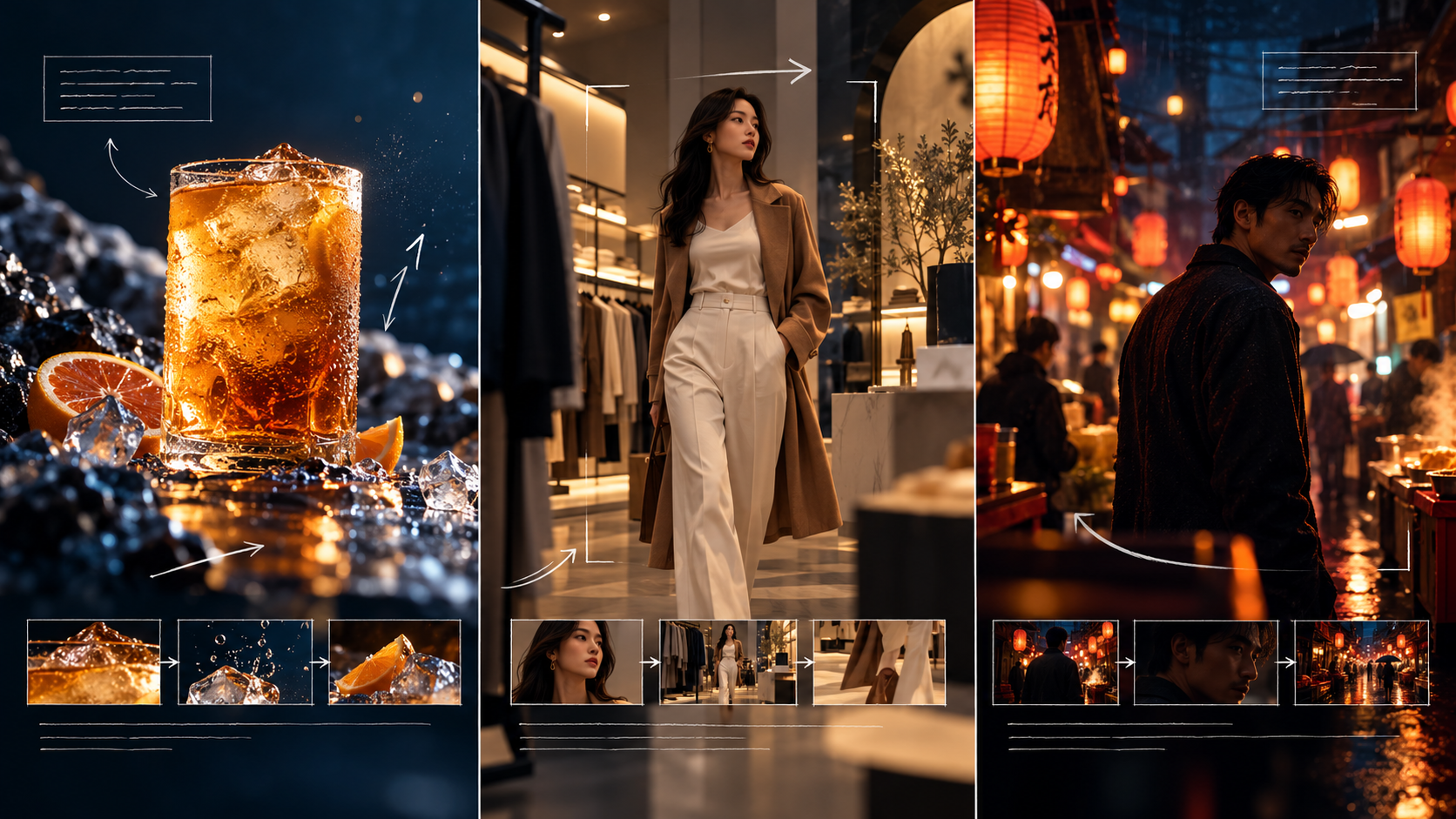
Visual examples for advertising, e-commerce, and short-drama prompts.
Choose the purpose of the video.
Prepare only the key product, character, or location references.
Assign a role to each asset.
Use only the keyframes that matter.
Describe action and camera movement by time range.
Add audio, dialogue, and the final frame last.
For a first test, start with 3–5 references and 3–5 keyframes. Review consistency, motion, and transitions before adding more complexity.
The most meaningful change is not only resolution or duration. Creators can provide more context in one task and describe time, people, products, motion, camera direction, and sound with greater precision.
Instead of writing one prompt and waiting for one clip, plan a story, provide references, define key moments, and iterate on the result.
Kling 4.0 Peek Preview is currently intended for early access to selected model capabilities. Availability and features follow the actual Zopia page state.
Try Kling 4.0 Peek Preview on Zopia
Model capabilities and parameters are based on official Kling materials and may change during the preview period.
The examples below are designed to show how to turn a creative idea into controllable instructions. Keep the subject, references, timeline, camera, continuity rules, sound, and final frame in the same prompt whenever they matter.
Create a 20-second premium product reveal for a matte black wireless speaker. @Image1 defines the speaker design and logo; preserve its proportions, buttons, grille texture, and finish. @Image2 defines the studio environment. 0–4 seconds: begin with a dark silhouette and a narrow rim light. 4–9 seconds: make the camera perform a slow left-to-right arc while the speaker rotates slightly. 9–14 seconds: move into a macro shot of the grille and control dial. 14–18 seconds: reveal the full product on a stone pedestal with soft reflections. 18–20 seconds: hold a centered hero frame with clean negative space for copy. Use precise product geometry, stable lighting, realistic reflections, controlled depth of field, and subtle stereo room tone. Avoid changing the logo or adding extra buttons.Create a 24-second character-led fashion story in three connected shots. @Image1 defines the model’s face, hairstyle, skin tone, and black jacket. @Image2 defines the riverside location. Keep the same character identity, clothing, weather, and time of day in every shot. 0–8 seconds: a medium shot as the model walks beside the river. 8–16 seconds: a side-tracking shot as the model turns toward the wind. 16–24 seconds: a close-up as the model looks into camera and smiles subtly. Use natural fabric movement, believable footsteps, consistent sunlight direction, and a gentle handheld camera. End on the same jacket detail shown in @Image1.Create a 15-second cinematic sports shot of a skateboarder moving through a concrete plaza. @Video1 defines the skating rhythm; @Image1 defines the outfit and board design. Start with a wide establishing shot, then track parallel to the skater, then move into a low-angle front shot as the skater performs one clean jump. Preserve body proportions, board shape, landing direction, and spatial relationships. Use realistic acceleration, contact shadows, controlled motion blur, dust particles, and a brief stereo wheel sound. Keep the action readable and avoid sudden teleportation, duplicated limbs, or changing clothing.Create a 30-second short-drama scene in a quiet apartment during a power outage. @Image1 defines the lead character; @Image2 defines the apartment layout and window position. 0–7 seconds: the character lights a candle and hears a message notification. 7–15 seconds: the camera follows the character to the window as distant city lights return. 15–23 seconds: a second character appears in the doorway; hold a natural pause before the dialogue. 23–30 seconds: cut to a close-up and end on a relieved expression. Keep both faces, clothing, room geography, and candle position consistent. Add restrained room tone, a soft door sound, and clear Mandarin dialogue with natural pauses.Create a 25-second multilingual product video for a compact travel backpack. @Image1 defines the backpack; @Image2 defines the airport environment. Keep the product color, zipper layout, logo placement, and capacity cues consistent. 0–6 seconds: show the traveler moving through a bright terminal. 6–13 seconds: open the bag and reveal organized compartments. 13–20 seconds: show the bag fitting beneath an airplane seat. 20–25 seconds: finish with a clean product shot. Use English voiceover: “Pack light. Move freely.” Add simplified Chinese subtitles, clear pronunciation, subtle terminal ambience, and stereo separation between voice and background. Leave safe negative space for localized text.Make a 20-second lifestyle advertisement for a ceramic coffee set. @Image1 defines the cup shape and glaze; @Image2 defines the kitchen; @Image3 defines the model’s clothing; @Video1 defines the pouring action. Preserve the cup handle, glaze color, table position, wardrobe, and hand interaction. 0–5 seconds: steam rises beside the cup. 5–11 seconds: the model pours coffee in one continuous motion. 11–16 seconds: the camera moves from the hands to the cup detail. 16–20 seconds: end with the full set centered in frame. Use warm morning light, realistic liquid behavior, gentle camera movement, and soft ceramic contact sounds. Do not introduce extra cups or alter the product silhouette.Continuity rules: preserve character identity, product geometry, logo placement, wardrobe, lighting direction, scene geography, and the order of actions. Keep hands and object contact physically believable. Avoid extra fingers, duplicated objects, warped text, sudden camera cuts, unexplained background changes, inconsistent shadows, and audio that covers the dialogue.Change one variable at a time. First fix identity and composition, then refine motion and camera, and finally adjust dialogue, ambience, and stereo placement. When a result is close, keep the successful prompt intact and edit only the sentence that describes the failed part. This makes each iteration easier to compare and gives the team a clearer production record.
Start creating professional AI videos with Zopia
Get Started Free